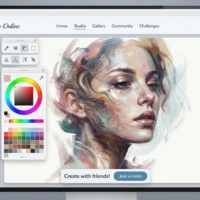
Do you enjoy drawing pictures or trying new colors? Paint and Draw online is an Android drawing application made for people who want to create their own artwork. It offers basic tools that make drawing easy to understand, even for beginners. You can use different colors, draw shapes, change pencil sizes, and remove unwanted marks while working on a picture.
The app is designed for users who want a simple space to explore their creativity. Whether you enjoy making small sketches, colorful designs, or simple illustrations, Paint and Draw provides useful tools to get started.
What Is Paint and Draw Online?
Paint and Draw online is an art and design application developed by FinoppAcc, according to the supplied app listing. It gives users a digital canvas where they can draw and paint using different editing tools.
Instead of needing paper, pencils, and paint, you can use your Android device to create artwork. The app includes common drawing features, such as a pencil, color picker, eraser, and shape tools.

It is suitable for casual drawing and creative practice. However, users looking for advanced professional design features should check the app’s current capabilities before relying on it for complex projects.
If you enjoy mobile games, you can also explore our guide to Temple Run 3.
Paint and Draw online App Information
| App Detail | Information |
|---|---|
| App Name | Paint and Draw |
| Developer | FinoppAcc |
| Category | Art & Design |
| App Package | com.onlabgames.Drawingthepath |
| Reported Rating | 2.9 |
| Reported Downloads | 50K+ |
| Android Version | 4.4 or later, according to the supplied listing |
| App Size | Varies with device |
| Content Rating | Teen |
Main Features of Paint and Draw Online
Simple User Interface
The app is described as having a Material Design interface. A straightforward layout can help users find the main drawing controls without spending too much time learning how everything works.
This is useful for beginners who want to start drawing instead of dealing with complicated menus.
Basic Drawing Tools
Paint and Draw includes basic paint tools for creating lines, sketches, and simple pictures. You can use these tools to practice drawing or create a quick design whenever you have a creative idea.
Multiple Shapes
The app listing mentions shapes such as circles, rectangles, and ovals. These shapes can help you create neat outlines, simple patterns, and basic illustrations.
They are also useful when you want to combine geometric shapes with freehand drawing.
Color Picker
The color picker allows users to choose different colors for their artwork. You can experiment with color combinations and make your drawings more interesting.
Choosing suitable colors can also help separate different parts of a picture.
Adjustable Pencil Size
Different drawings need different line widths. The stroke-size option lets users select a pencil size according to their needs.
A smaller stroke can be helpful for fine details, while a thicker line may work better for outlines and bold marks.
Eraser Tool
Mistakes are a normal part of drawing. The eraser helps remove unwanted marks so you can improve your picture as you work.
This feature makes it easier to experiment without worrying too much about every line being perfect.
Clear Option
The clear tool is listed among the app’s editing options. It can help users clear their drawing area when they want to begin a new picture.
Use this option carefully because clearing a canvas may remove your current work.
Save and Share
The supplied description mentions options to save and share artwork. These features can help you keep your creations and show them to friends or family.
Check that your device has the required storage permissions if saving does not work.
How to Use Paint and Draw Online App
Getting started with a drawing application is usually simple. Follow these general steps, noting that the exact buttons may differ depending on the installed version.
Before installing the app, check its latest details and compatibility on the official Google Play listing.
-
Open Paint and Draw Online on your Android device.
-
Find the drawing area and select the pencil tool.
-
Choose a color using the color picker.
-
Adjust the stroke size to make thin or thick lines.
-
Draw your picture using freehand tools and available shapes.
-
Use the eraser to remove unwanted marks.
-
Review your artwork and make any final changes.
-
Save your drawing or share it when it is ready.
Tips for Better Paints And Drawings Online
You do not need to be an expert artist to enjoy digital drawing. A few simple habits can help you improve your results.
- Start with simple objects: Draw a flower, house, tree, or smiling face before trying complex pictures.
- Choose colors carefully: Use colors that work well together and keep your picture easy to understand.
- Practice line control: Try drawing straight lines, curves, and circles to become more comfortable with the pencil tool.
- Use shapes for outlines: Circles and rectangles can help you create cleaner designs.
- Try different stroke sizes: Experiment with thin and thick lines to add variety.
- Save your work: Keep a copy of finished drawings whenever the save feature is available.
Regular practice is more important than making every picture perfect.
Is Paint and Draw Online App Suitable for Beginners?
Paint and Draw online may be a useful option for beginners because it focuses on common drawing tools rather than requiring advanced artistic knowledge. The pencil, color picker, shapes, and eraser provide a basic starting point for digital artwork.
Children and teenagers should use apps that are suitable for their age and follow the app’s current content rating. Parents can review the listing and permissions before allowing younger users to install it.
The app may also suit casual users who simply want to sketch during their free time. Its suitability for professional work depends on the available export options and other features in the version they use.
Paint And Draw Online App Permissions and Privacy
The supplied listing mentions permissions related to Wi-Fi connections, approximate network-based location, and reading or modifying device storage.
Permissions can vary by Android version and app release. Before installing, review the permissions requested on your device and consider whether they make sense for the features you intend to use.
Only grant permissions that you understand and are comfortable with. You can also review the developer’s available privacy information before using the app.
Pros and Cons
| Pros | Cons |
|---|---|
| Simple drawing concept | Reported rating is relatively low |
| Offers common paint tools | Advanced features are not confirmed |
| Includes basic geometric shapes | App size varies by device |
| Color selection and pencil-size controls | Compatibility may vary on newer devices |
| Save and share options are listed | Current availability should be checked |
Frequently Asked Questions About Paint And Draw Online
| Question | Answer |
|---|---|
| What is Paint and Draw online? | It is an Android art and design application for creating digital drawings and paintings. |
| Is Paint and Draw suitable for beginners? | Its basic drawing tools may make it suitable for people who are learning digital drawing. |
| Which tools does Paint and Draw offer? | The supplied description mentions a pencil, color picker, stroke-size control, eraser, clear option, and multiple shapes. |
| Can I save my drawings? | Saving and sharing are mentioned in the supplied app description. Availability may depend on the installed version. |
| Which Android version does it support? | The supplied listing reports Android 4.4 or later, but current compatibility should be verified. |
| Who developed Paint and Draw? | The supplied listing identifies FinoppAcc as the developer. |
Conclusion
Paint and Draw Online is a basic drawing application for Android users who want to explore digital art. Its listed features include pencil tools, color selection, adjustable stroke sizes, geometric shapes, an eraser, and options to save and share artwork.
The app may be worth considering if you enjoy simple sketches and creative experiments. Before downloading it, review the latest app information, compatibility details, permissions, and privacy information to make sure it suits your needs.